Zero-knowledge vault
Credentials live in vault.fva on your PC or USB. AES-256-GCM via Windows CNG. Master password never leaves your device.

Zero-knowledge · Local-first · WinUI 3
Fortiva is a Windows-native password manager built on the Windows stack - WinUI 3, Windows CNG (AES-256-GCM), and memory-hard Argon2id. Your vault file stays on your machine. No cloud sync, no accounts, no telemetry, and no background service.
A product of
WinUI 3
Native Windows app - not Electron
AES-256-GCM
Windows CNG symmetric encryption
Argon2id
64 MB · 3 iterations · 4 lanes (Personal)
0
Cloud servers · telemetry · background daemons
Features
Living off the land - CNG, DPAPI, Windows Hello, and a local vault file you control. No subscription required for Personal.
Credentials live in vault.fva on your PC or USB. AES-256-GCM via Windows CNG. Master password never leaves your device.
Memory-hard KDF (64 MB / 3 iter / 4 lanes on Personal). Vault key wrapped with MK and protected by DPAPI at rest.
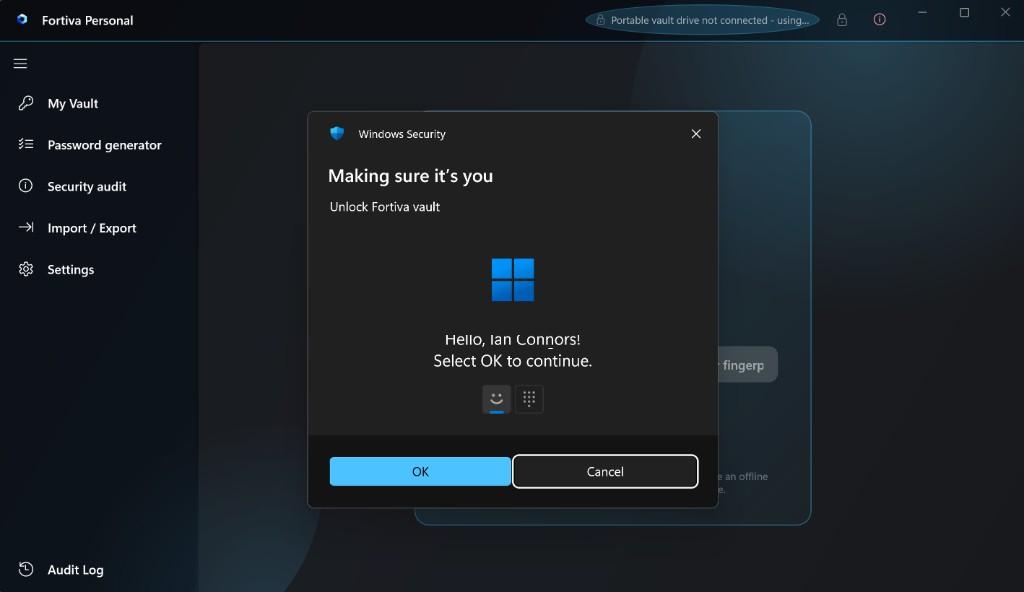
Unlock with face, fingerprint, or PIN via a DPAPI-protected key protector. Master password remains the recovery root.
Full scan: weak, reused, and missing passwords, settings hygiene, duplicates, and vault health. Export JSON or HTML - never secrets.
Chrome and Edge extension with manual Fill only. Connect once in Settings → Connect browser; while unlocked, Fill uses loopback HTTP at 127.0.0.1:7847 with a native-messaging fallback.
Detects vault rollback via revision counter and DPAPI state. Suspicious downgrade opens read-only until you confirm in Settings.
Migrate from KeePass CSV, browser exports, Apple Keychain CSV, or generic CSV. Encrypted .fva / .fvab backups with preview and duplicate scan.
Personal edition can open or create a vault directly on removable media - credentials travel on your USB, Hello tokens stay on the host PC.
Timestamped unlock, lock, and browser-bridge events. Export JSON for your own review - never secrets.
Why Fortiva
Fortiva is designed for people who want Windows-native security without handing credentials to a remote service.
Your vault file (vault.fva) stays on disk you control. Five rolling encrypted snapshots protect against corruption. No sync servers, no accounts.
WinUI 3 and self-contained .NET 8 - not Electron. Crypto through Windows CNG, secrets through DPAPI, unlock through Windows Hello and optional TPM.
The Fortiva Autofill extension never injects credentials on page load. Connect it once in Settings, then click Fill - the app verifies hostname match and serves credentials over localhost only.
No always-on background service. Panic lock hides the window instantly. Auto-lock and clipboard auto-clear keep secrets off the screen when you step away.
Key hierarchy
Interface
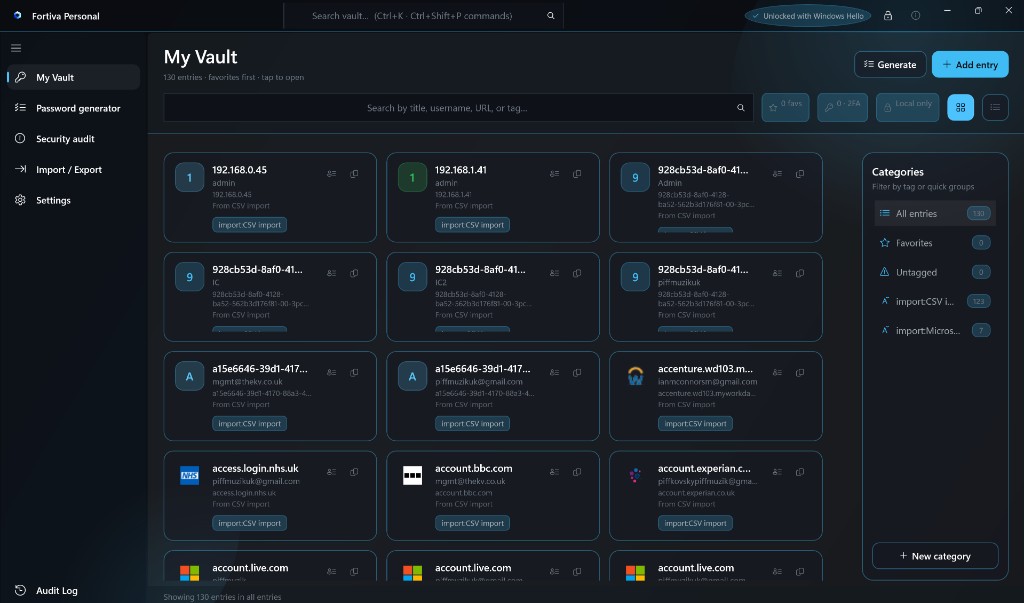
WinUI 3 app for Windows 10 build 19041+ and Windows 11. Explore real screens from Fortiva Personal.
Grid and list views, tags, favorites, Ctrl+K search, and quick copy - 130+ entries in this vault.
Download
Windows 10 (2004+) or Windows 11 - x64 - No .NET install required
Free for Windows · icmclab studio
Also available on GitHub Releases. Verify the full SHA-256 checksum on GitHub Releases before installing. Personal builds are not Authenticode-signed yet - Windows SmartScreen may prompt; choose More info → Run anyway if you trust the SHA-256 match. See the installation guide for step-by-step setup. WebView2 and VC++ redistributables install automatically if needed.
Contact
Fortiva Personal is free for personal, non-commercial use. If you have feedback, need help, or want to report a security issue, get in touch.
Published by
Email us at info@icmclab.cloud. Mail is handled by our domain provider and forwarded to our inbox - nothing is stored on this website.
info@icmclab.cloud